


Introduction
A key research paper is a study that shapes how a field understands a topic. It's usually widely cited, introduces a core idea or method, or connects several lines of work. Finding one through keyword search alone can take a lot of trial and error, because the paper you need might describe your topic in different words.
ResearchRabbit helps you find key papers by following the citation connections between studies, so you can see which work others build on. In this guide, you'll learn:
- Why keyword search often misses important papers
- A five-step workflow for finding key papers with ResearchRabbit
- Four practical tips for spotting the most influential studies in your field
Why finding key papers can be so hard
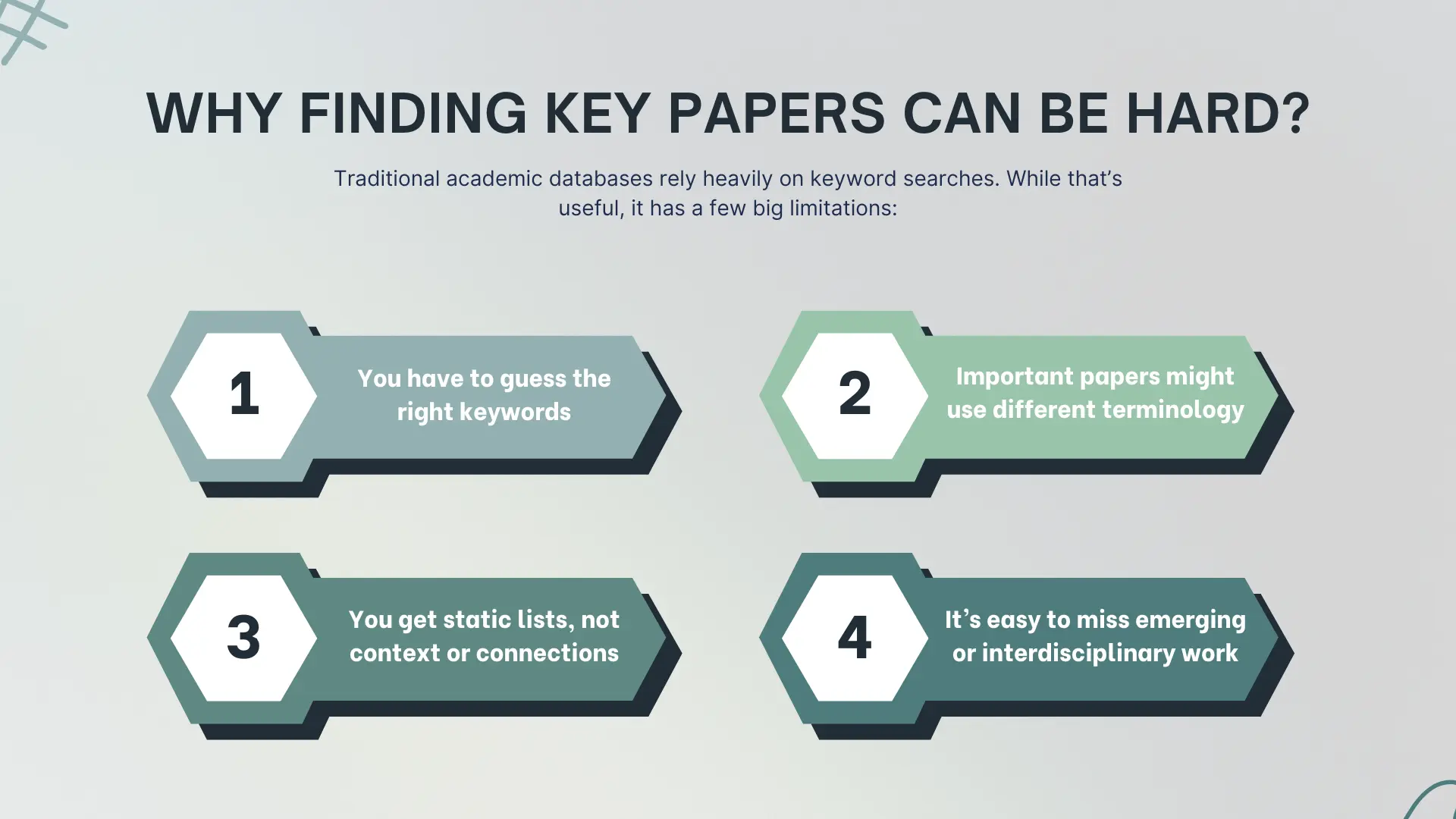
Keyword search depends on your words matching an author's words. Search Google Scholar or Scopus for "digital health interventions," and you'll get results that range from too broad to too technical. So you refine your terms, then refine them again.
The bigger issue is vocabulary. A highly relevant paper might say "mHealth," "telehealth," or "eHealth" instead of your exact phrase, so it never appears in your results. And once you do find a strong paper, going deeper usually means working through its reference list by hand, one citation at a time.
That's where citation-based discovery adds to your keyword searches. Keyword search helps you find a strong starting paper. Citation connections then show you which papers are linked to it, including ones that use different words.
How to find a key research paper using ResearchRabbit
These five steps take you from a single starting paper to an organized collection of the key work in your field.
Step 1: Choose your seed papers
Start by finding one or more papers that sit close to your topic. You can:
- Search by keyword. Type your topic into the search bar. Keyword search supports AND, OR, and NOT, and you can wrap terms in quotes for an exact match. It uses the Google Scholar search engine, so results look similar to a Google Scholar search.
- Search by DOI or title. Paste the DOI of a paper you trust, then click Similar to use it as a seed.
- Import your library. Export a BibTeX file from Zotero, Mendeley, EndNote, Paperpile, or another reference manager and drag it onto the search bar.
- Use the Zotero Importer. Link your Zotero account and pull in whole Zotero collections.
- Search from a collection. Choose a collection from Browse Library and all of its papers become seeds.
If you're new to ResearchRabbit, the Find your flow screen after sign-up walks you through these options. It also lets you upload a PDF of a paper to get started.
A few strong, closely related seeds usually beat many loosely related ones. Mixed topics dilute the signal. The free tier lets you search from up to 50 seed papers at once, and RR+ raises that to 300.
Step 2: Run your search and read the map
Select your seeds and start the search (on your first search, the button reads Find your next 20 articles). ResearchRabbit returns a ranked list of connected papers next to a visual map that shows how they link to each other and to your seeds.
By default, the top 20 results appear on the map and the first page of results. You can change this to 10 for a focused view or 40 for a wider one in your search settings.
When you scan the map, look for papers that connect to several of your seeds at once. A paper that many relevant studies point to is a strong candidate for a key paper.
Step 3: Grow your search
This is where ResearchRabbit differs most from a search engine. Click the tick button on any result that looks useful. Your selections queue up in the right-hand column. Then click Search to run the next round, or "hop."
The papers you selected become the new seeds, so each round reflects more of what you care about. You can keep going as long as you like and use the navigation controls to step back to an earlier round.
If results drift off topic:
- Add more seeds that represent your topic well
- Remove seeds that pull the search in another direction
- Apply Advanced Settings with RR+ to filter the results (see step 6)
Step 4: Follow references and citations
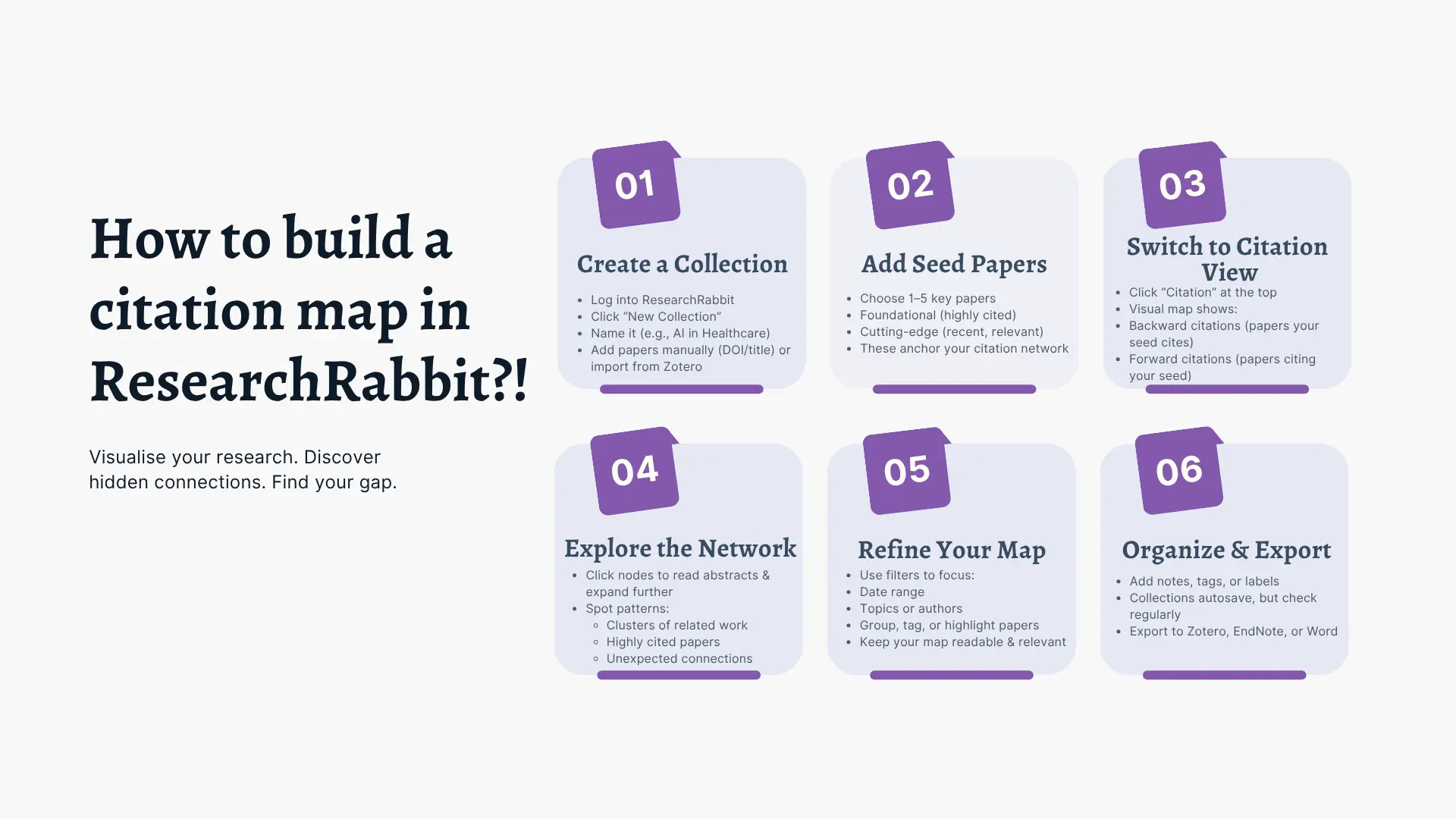
To trace where an idea came from and where it went, switch the search direction in Basic Settings:
- Similar: papers with any type of connection to your seeds, including shared references, shared citations, shared authors, and semantic similarity
- References: only the papers your seeds cite (earlier work)
- Citations: only the papers that cite your seeds (later work)
You can also do this for a single paper. Open its article details and click Refs to see what it cites or Cited by to see who has cited it since, both as a list and on the map. Following a paper backward shows you its foundations. Following it forward shows how the field has used it.
Step 5: Explore key authors
The researchers who shape a topic tend to publish a series of related papers. Click any author's name under a paper title to open their author map. It shows everything they've published as a network, sorted by citation count and publication date, so you can see how their focus has changed over time.
You can also search for authors instead of articles. In Basic Settings, choose:
- These Authors to explore the authors of your seed papers
- Other Related Authors to find researchers connected to your seeds through related work
Step 6: Refine results with Advanced Settings (RR+)
With RR+, Advanced Settings let you filter which connected papers count as results. Because ResearchRabbit still starts from connections, these filters narrow a relevant set rather than a keyword match. You can filter by:
- Keywords: the phrase must appear in the title or abstract
- Publication date: limit results to a date range, such as the last three years
- SJR quartiles: limit results to journals in chosen quartiles, such as Q1
- Journal H-index: limit results to journals within an H-index range
- Open access: show only papers with open access PDFs
- Retractions: include or exclude retracted papers
RR+ also shows risk indicators from Signals, a research integrity partner. They flag papers whose citation behavior or citation network suggests a higher risk, both in your collections and while you explore.
Quartiles and H-index describe the journal, not the paper, and they vary by subject area. Treat them as one signal among many.
🚀 Try ResearchRabbit today - transform your literature review from frustrating chore to strategic advantage
Why this approach works
Keyword search and citation discovery answer different questions, and they work best together. Keyword search finds papers that match your terms, which makes it a good way to find a starting point. Citation discovery then shows which papers cite each other, so ResearchRabbit can surface relevant studies that use different terminology, sit in a niche subfield, or bridge disciplines.
Because citations reflect how researchers actually build on each other's work, the papers at the center of a citation network are often the ones that have shaped a field. That gives you a second signal to add to your keyword results.
Tips for finding the best research papers
These four strategies help you find influential papers faster, whether you're starting a literature review or keeping up with new work.
- Start with widely cited papers and work outward. A paper that's cited far more often than others on the same topic usually points to foundational studies in its reference list. Check its forward citations too, to see how the field has developed since. Citation counts vary by field and grow over time, so compare papers of similar age within the same discipline.
- Look for review articles. Search for "[topic] review" or "[topic] systematic review." Reviews summarize key findings, methods, and open questions, and their reference lists lead you to core sources.
- Use related papers to extend your keyword searches. Citation-based suggestions can surface relevant studies that describe your topic differently, including work from neighboring fields.
- Explore the work of researchers who shape your field. Pick a few authors whose names keep appearing in your citation network and explore their other papers. Their recent work shows where the field is heading, and their co-authors can lead you to adjacent work.
Conclusion
Keyword search helps you find a starting point. ResearchRabbit builds on it by mapping citation networks, so you can trace the studies your field builds on and find the papers that matter most for your topic.
Ready to try it? Start with one paper, and let ResearchRabbit show you what it's connected to.
%20(800%20x%201036%20px).webp)



This is a big test comment on your article.