
Finding relevant papers, and knowing which ones to read, can be hard. ResearchRabbit is built to help you follow your curiosity and the connections in the research, so you can explore your field with confidence instead of juggling 28 open tabs. ResearchRabbit has introduced a few changes, both big and small, that are going to make following your curiosity even more fun.
Jump to: New in ResearchRabbit includes live maps, Rabbit-holes, search histories, and more
Jump to: New in RR+ includes Analyze, Zotero sync, Filter, and Alerts
🎥 See new live maps in action and what’s new in ResearchRabbit. Watch the recording of our pre-release event →
The more you search the better your literature recommendations become. That’s because ResearchRabbit is all about finding the most relevant research…for you!
To make building your recommendations, and exploring the direction of your research, even easier this now happens live. Each time you change your Seeds, the citation network is instantly rebuilt.
As part of this release you can now control how much of your citation network is visible, which kinds of connections are added, and how they are ranked.
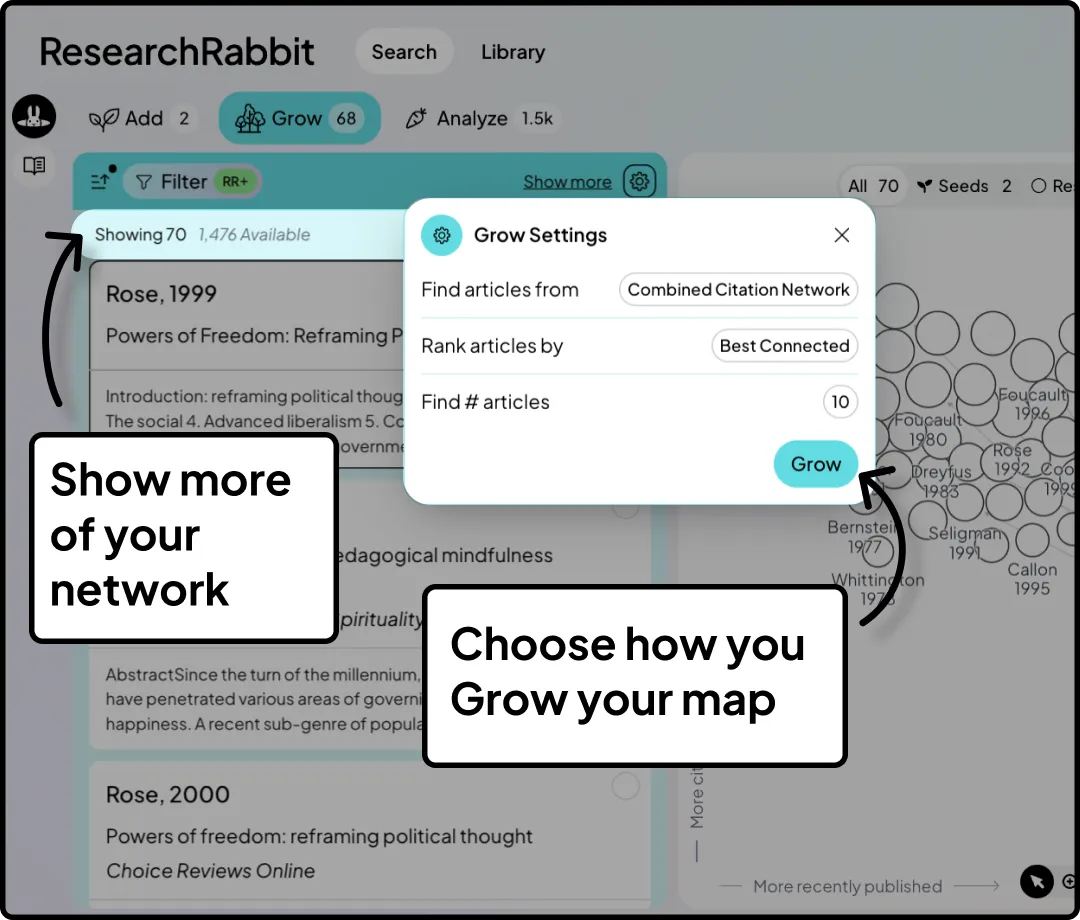
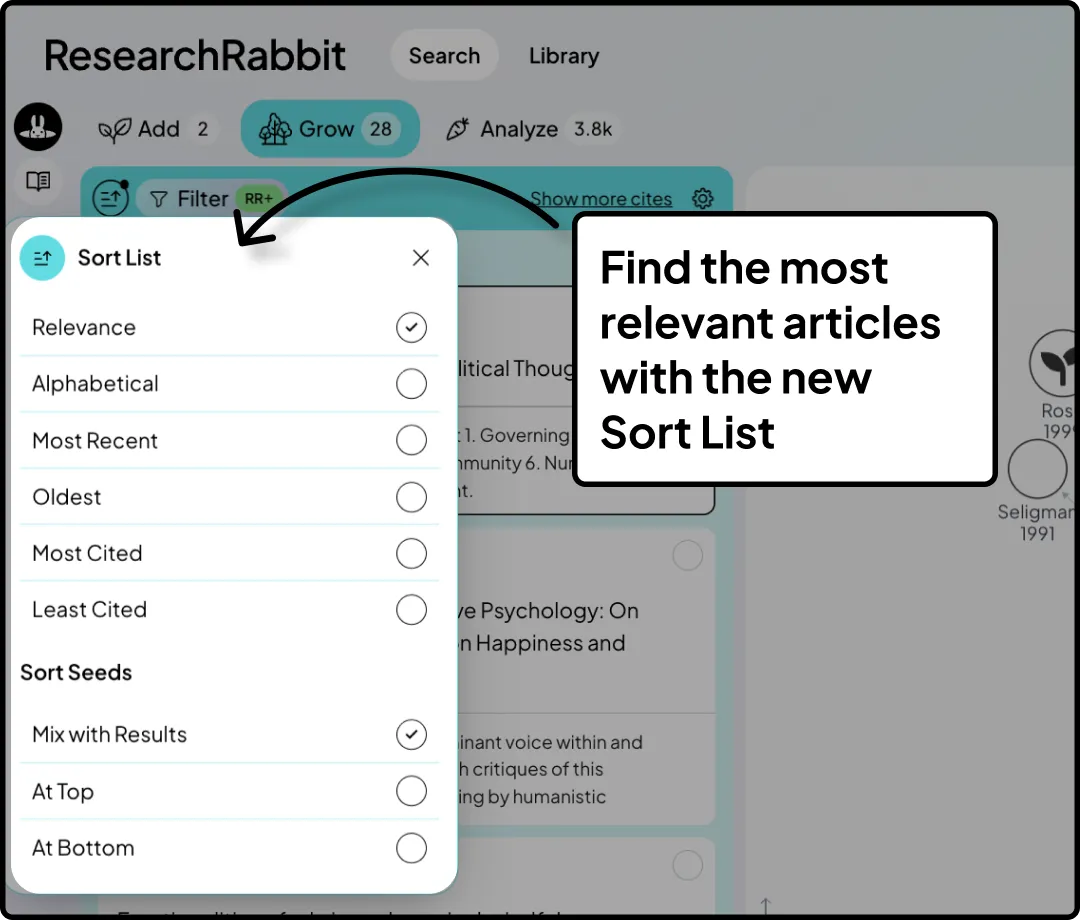
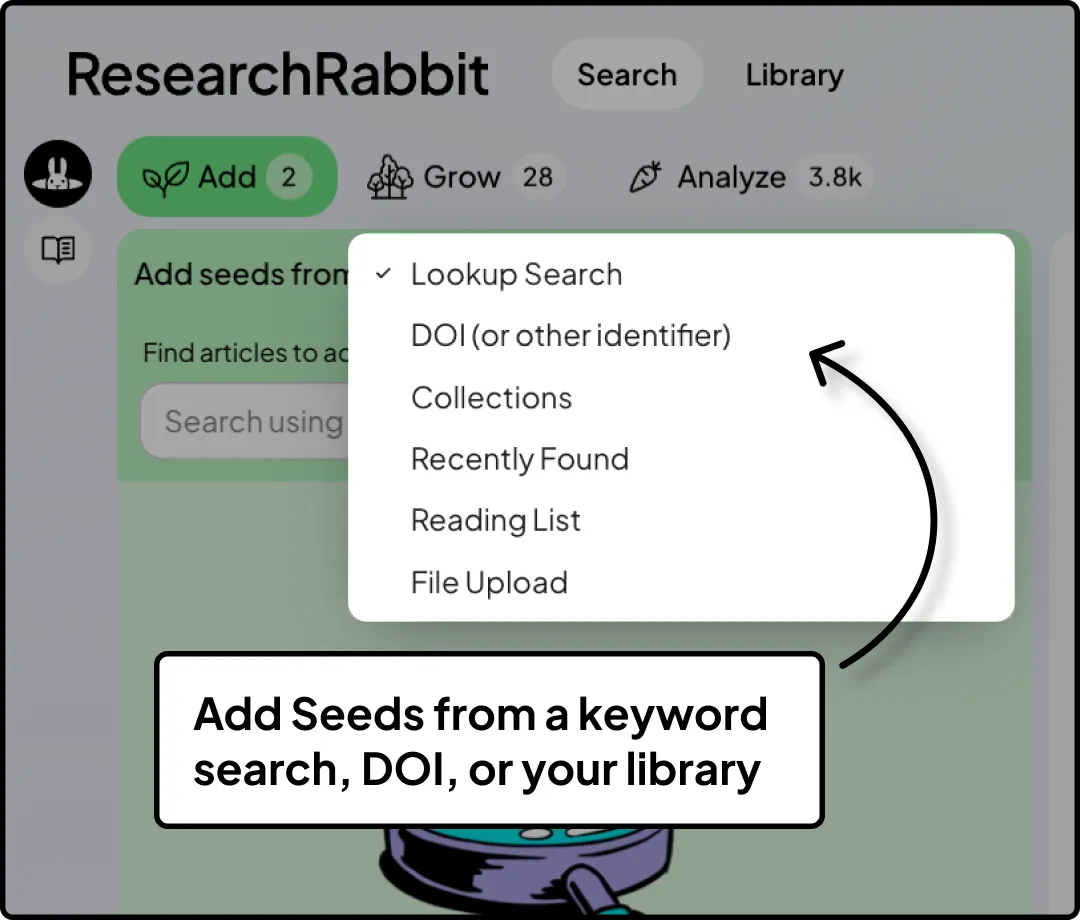
As you explore your topic, and find new directions, you can now head back to add more Seeds from a keyword search, DOI, or your library.
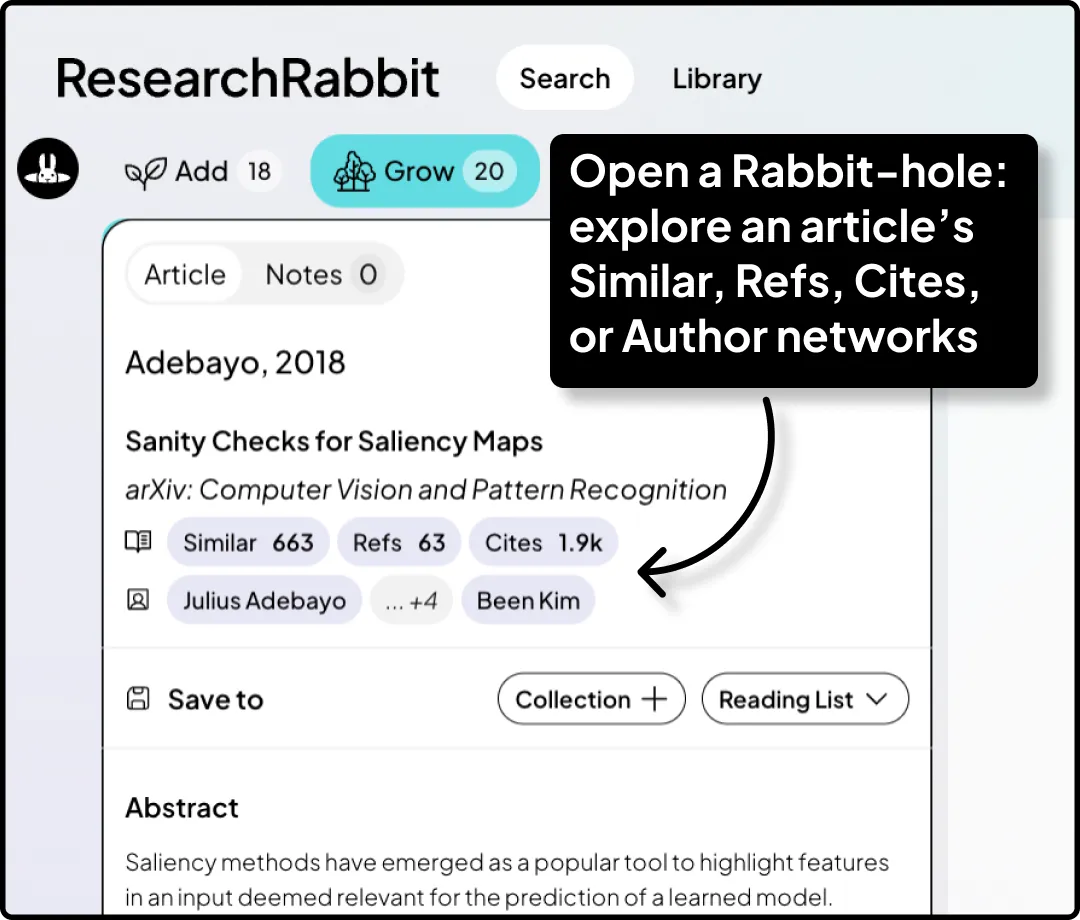
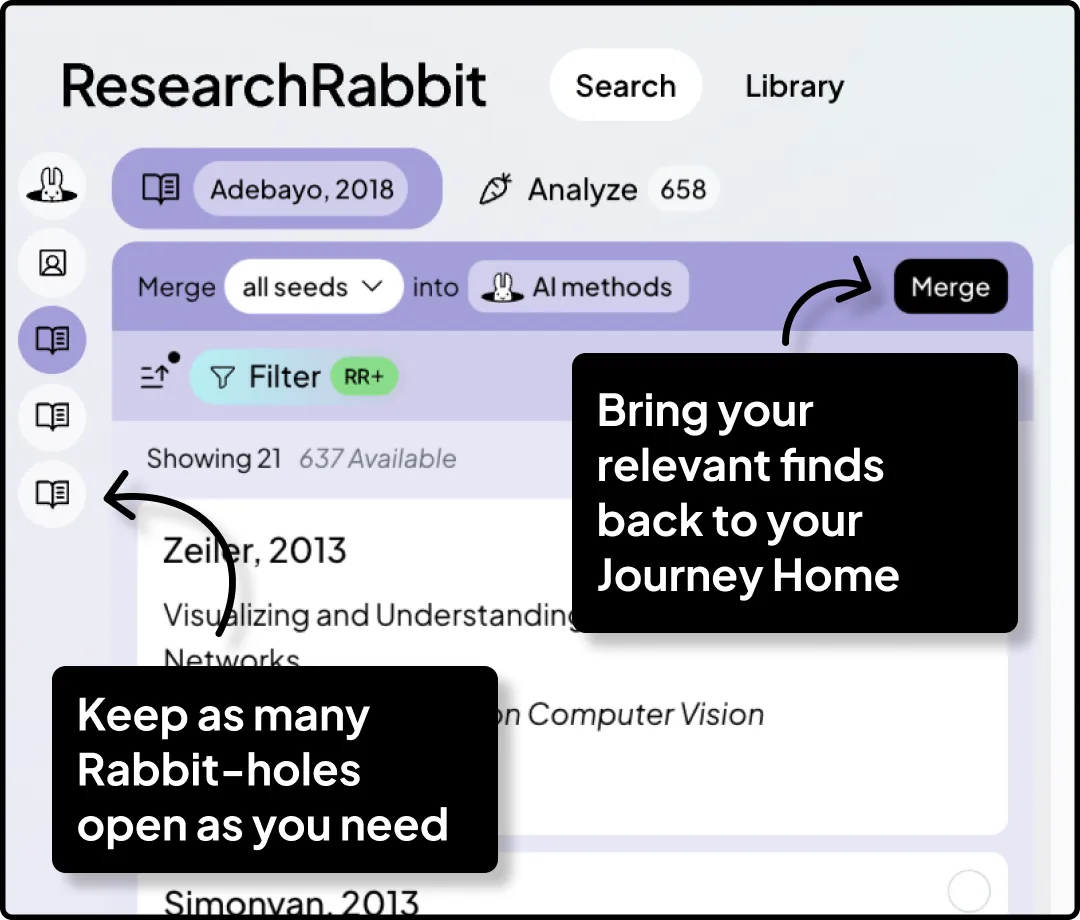
Research is not a linear process and often it can feel overwhelmingly messy. With the introduction of Rabbit-holes you can explore an article’s author network, cites, and refs. Jump down as many Rabbit-holes as you need. Found new relevant articles? Bring them back into your base map.
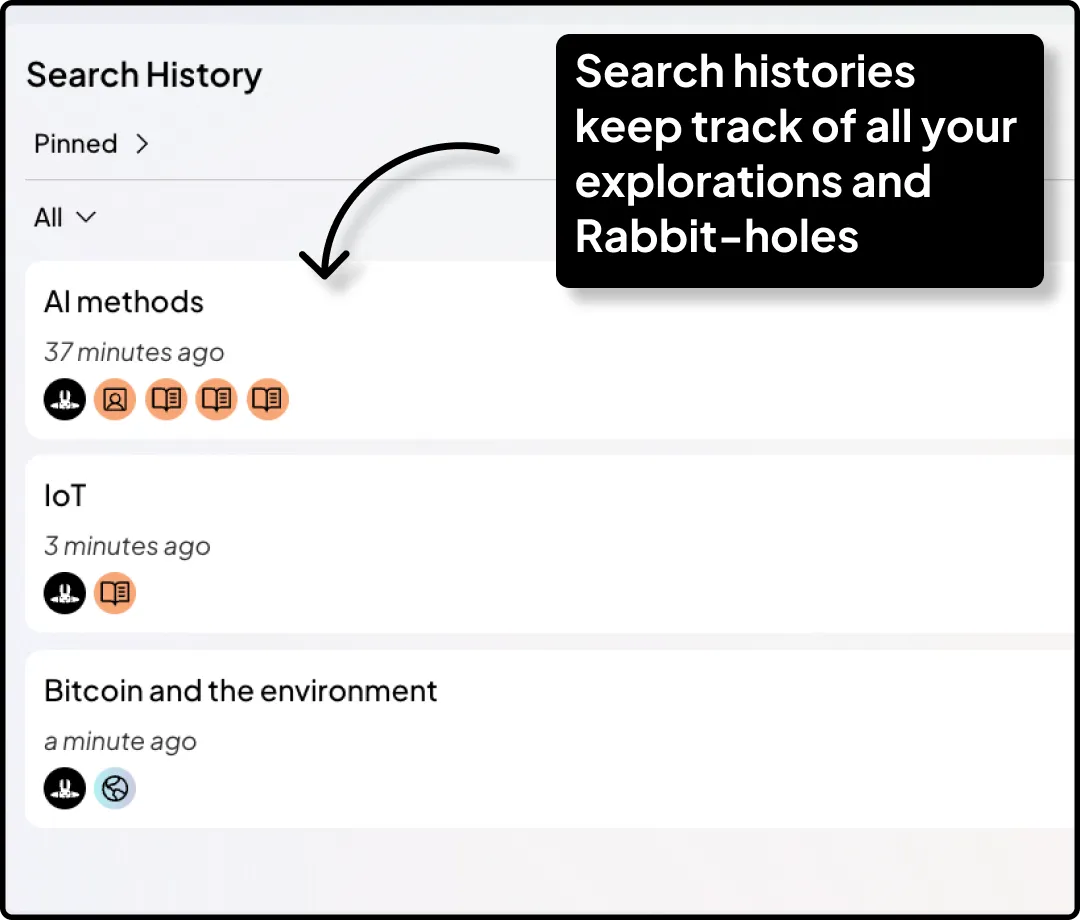
Search History is new too. For all users we keep your Search History for 7 days, so it's ready to pick-up where you left off, if you need to step away from your work, perhaps to focus on reading an article or to discuss the direction your literature review is taking you with your advisor. Your base map and all your Rabbit-holes are automatically included.
💡 We keep Search Histories from the last 7 days for all users. For RR+ we keep unlimited access to your Search Histories.
If you’d like to have more control of how your map looks you’ve got a few new options:
New shortcuts to make navigating your map easier:
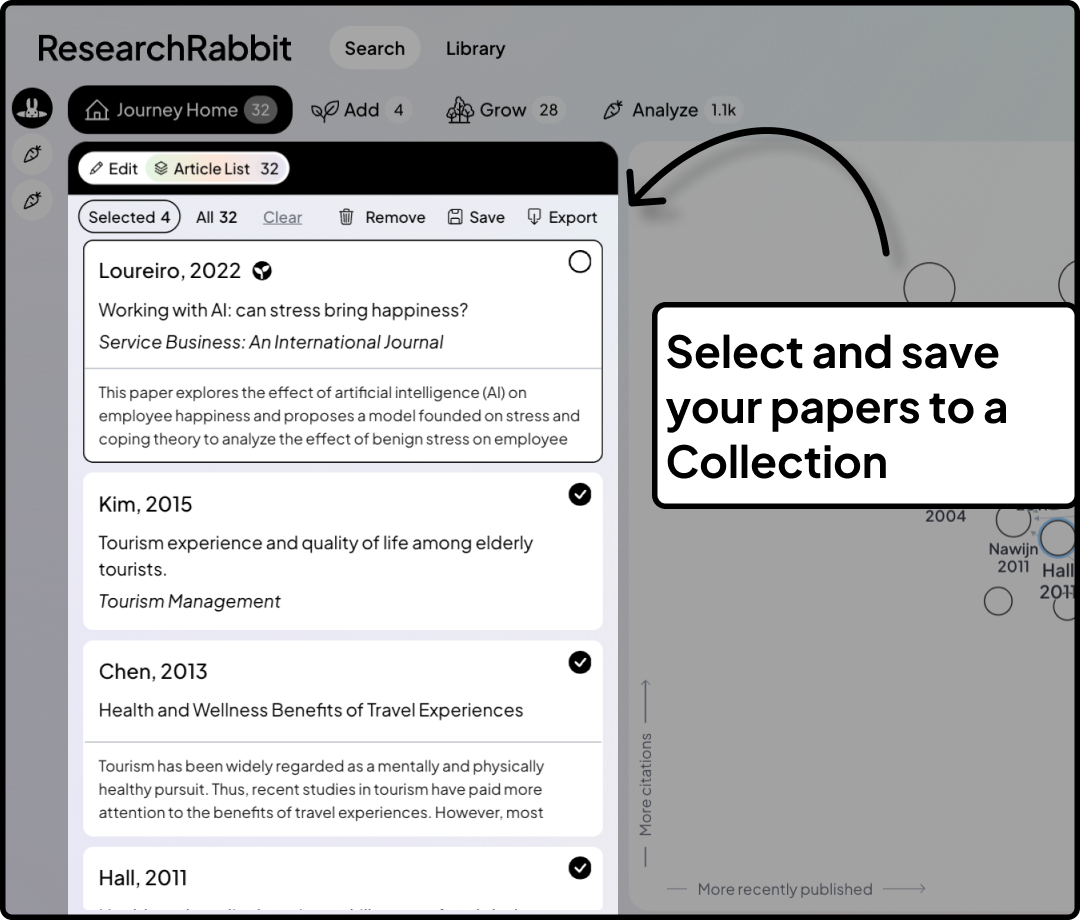
These are great when you are organizing papers in your Journey Home. Select what you want on the map and then Save to a Collection, Export, or Delete. You can also hit ‘Delete’ on your keyboard and any selected articles will be removed from your search.
Relevant article finds, in your inbox, each month. Based on the papers you have been exploring ResearchRabbit will share a selection of relevant articles. You can jump back into ResearchRabbit and check out the recommendations as a new Search.
All ResearchRabbit users who have explored papers in the last month will receive a Personal Digest. Learn more →
If you are just starting with your literature review, or want to look at where two topics meet, you can do a Lookup Search using Google Scholar or OpenAlex right inside ResearchRabbit. OpenAlex is used by default but you can switch to Google Scholar in your account preferences.
🎥 See what’s new in RR+. Watch the recording of our pre-release event →
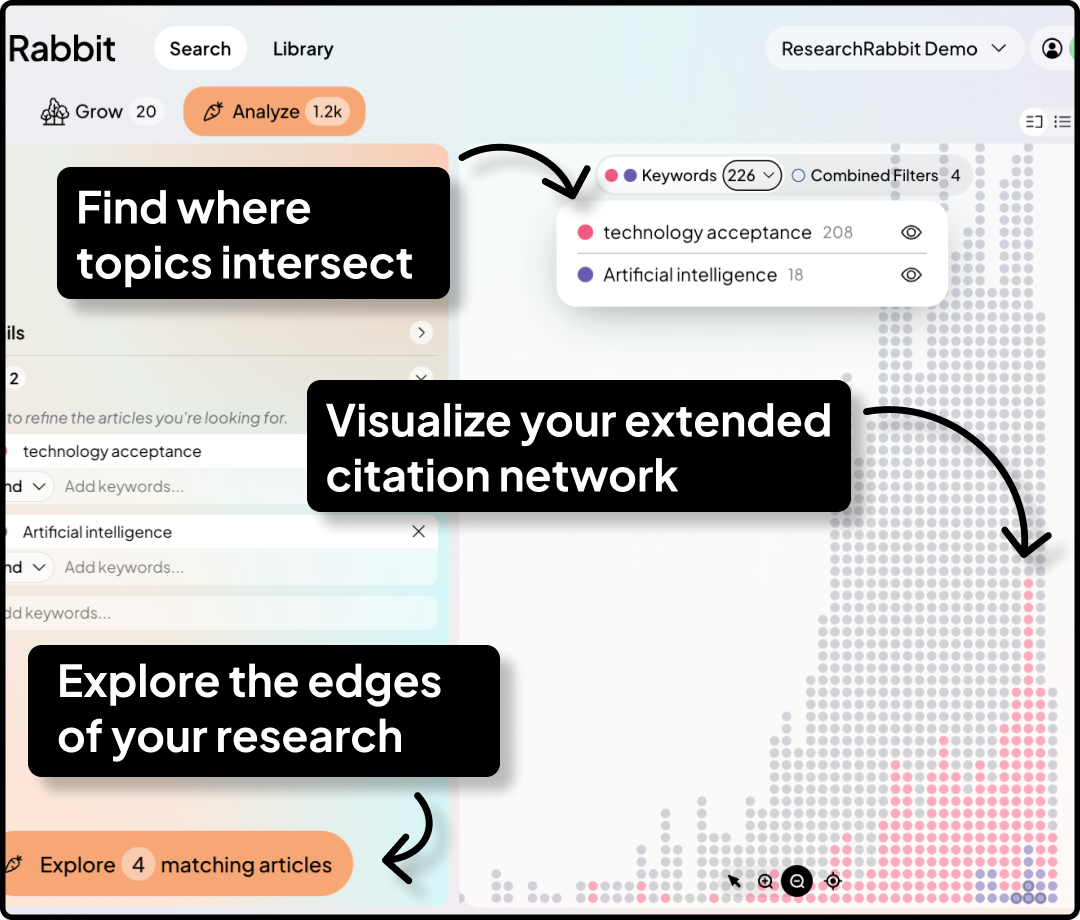
The Analyze tab shows you the whole landscape around your search in one view. You can spot patterns, filter by what matters to you, and pick a new direction to dig into.
Keeping your references up to date in your Zotero reference manager can help you stay organized and makes it easy to include your ResearchRabbit finds in your literature review. Your collections in your Zotero reference manager are also a powerful way to explore your topic in ResearchRabbit to find any papers you might be missing.
Learn more about the ResearchRabbit ↔ Zotero two way sync →
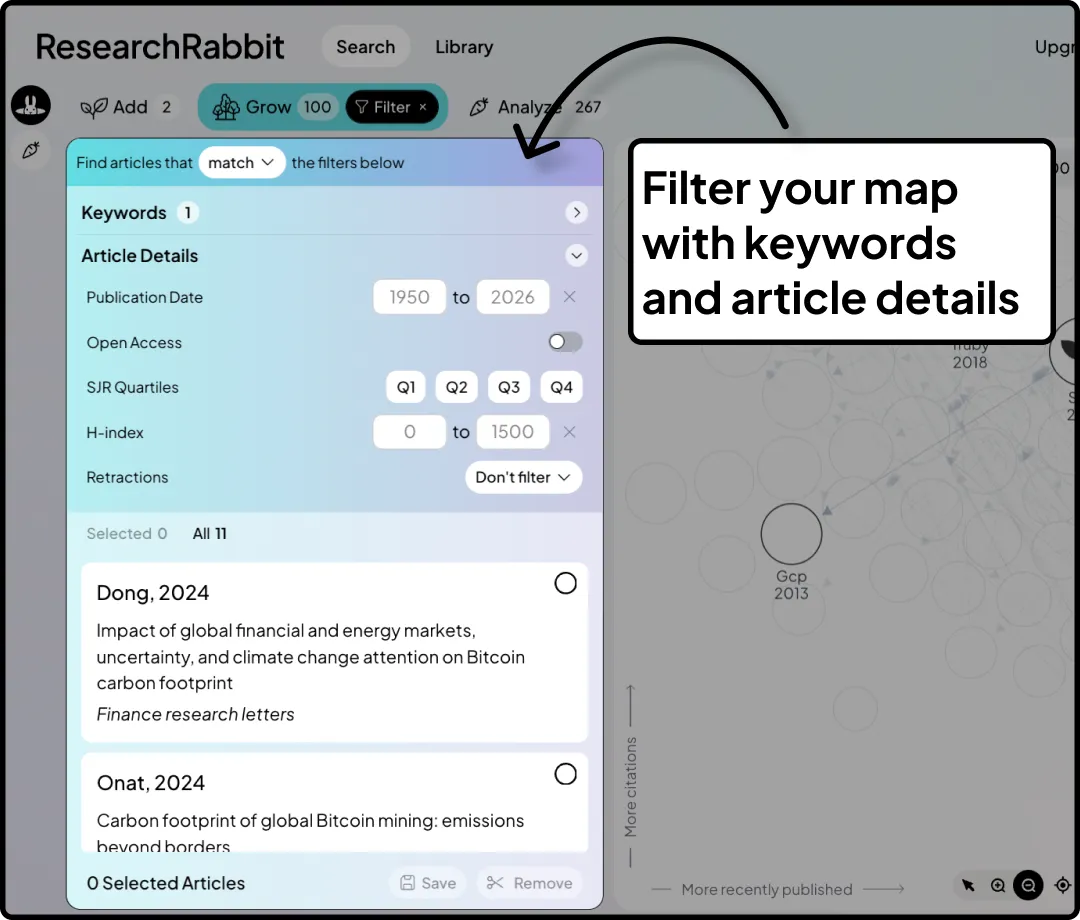
As your map grows you might want to sharpen your focus on particular articles using keywords, publication date, journal quality, retractions, or open access status. You can do all this with Filter.
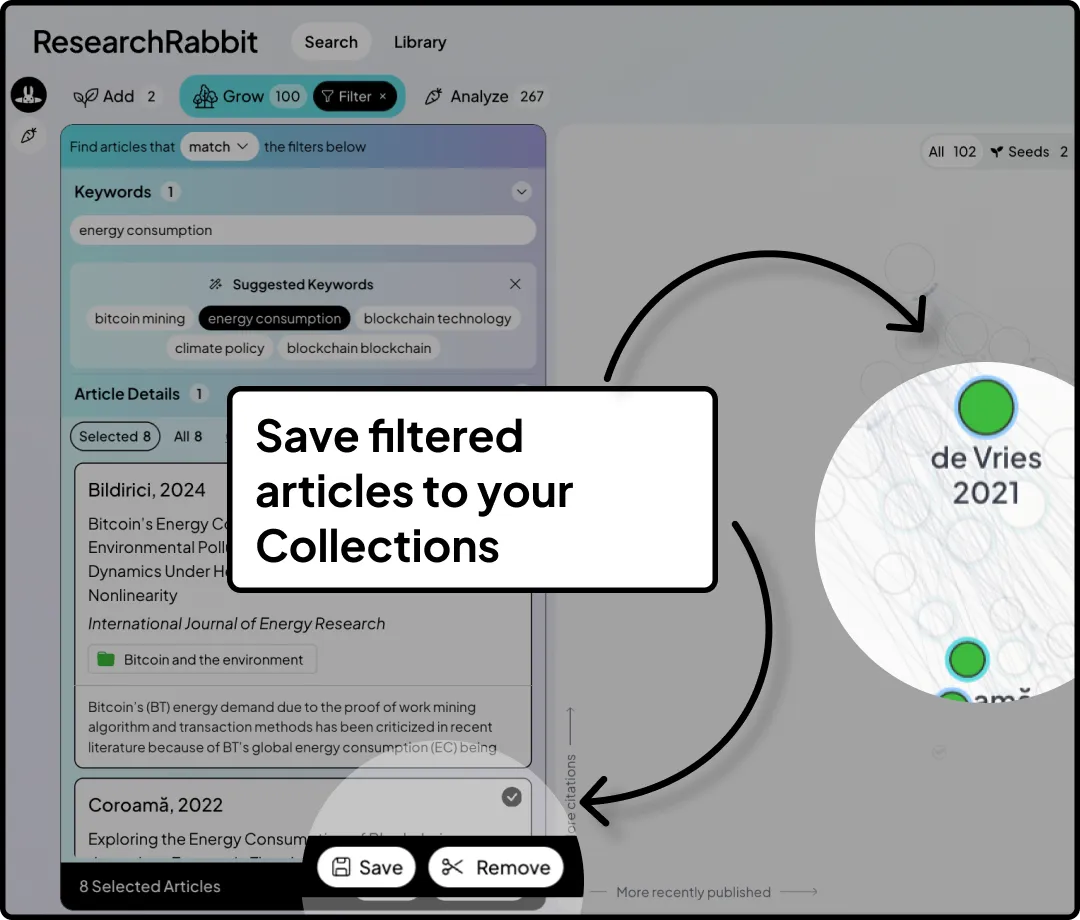
Filter is a great place to organize your articles from too. You can select articles based on your Filters, or select them on the map, and save them straight to a Collection.
Project Alerts keep an eye on your library and let you know when new research builds on it. Choose if Alerts are delivered to your inbox or your library, weekly or monthly. Never miss a new paper on your topic.
Learn more about Alerts in RR+ →
Best
– The ResearchRabbit Team